
Reconcile 2x faster without risking more errors




Trusted by 200+ companies
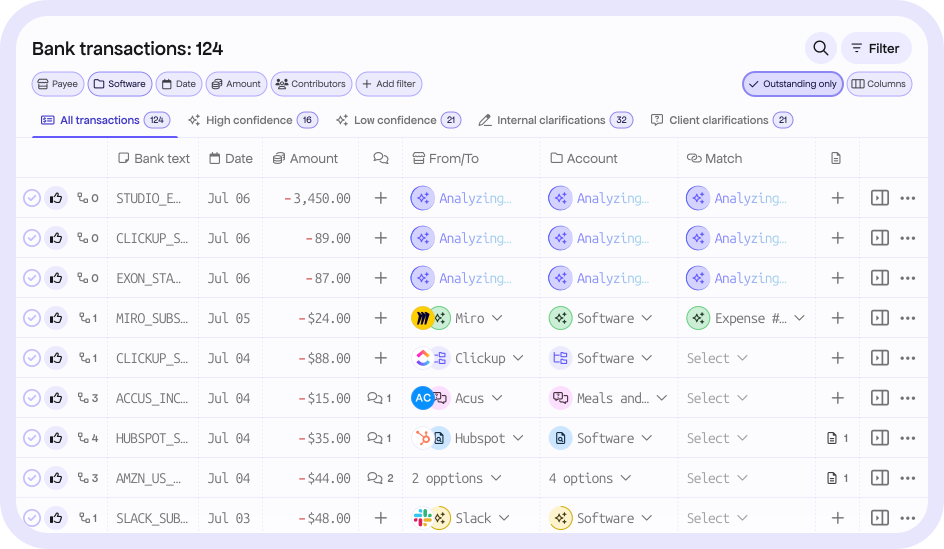
Reconcile your transactions faster with suggestions ready to be reviewed with all the context you need from your team, client, automation, and past transactions analysis.
Built by experts from leading companies






Context that keeps your books clean & doubt free
Understand the context behind each value on the table. So you can move fast while still having all the context required before you make the final call.
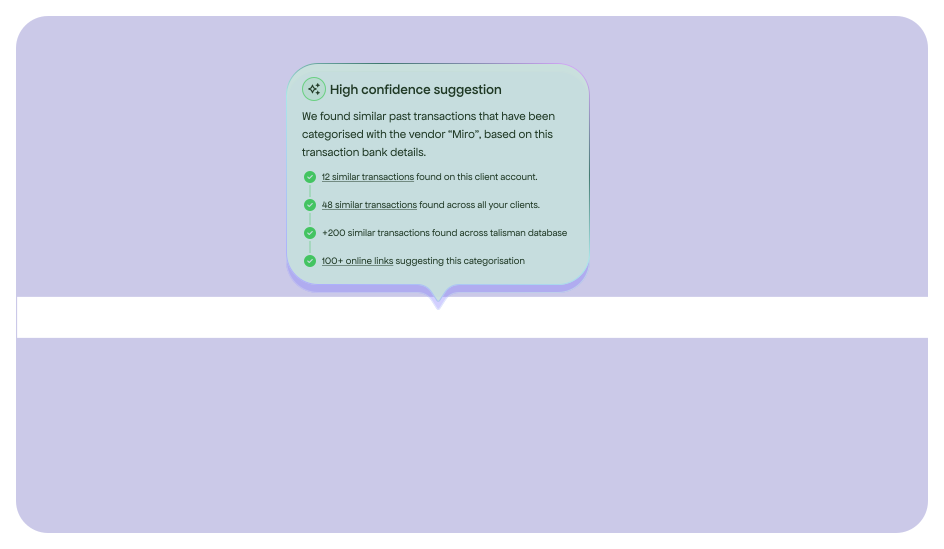
Let the AI search through your ledger how transactions with similar bank details have been previously categorised. So you can understand the context and level of confidence behind each suggestion, instead of always doublecheking.
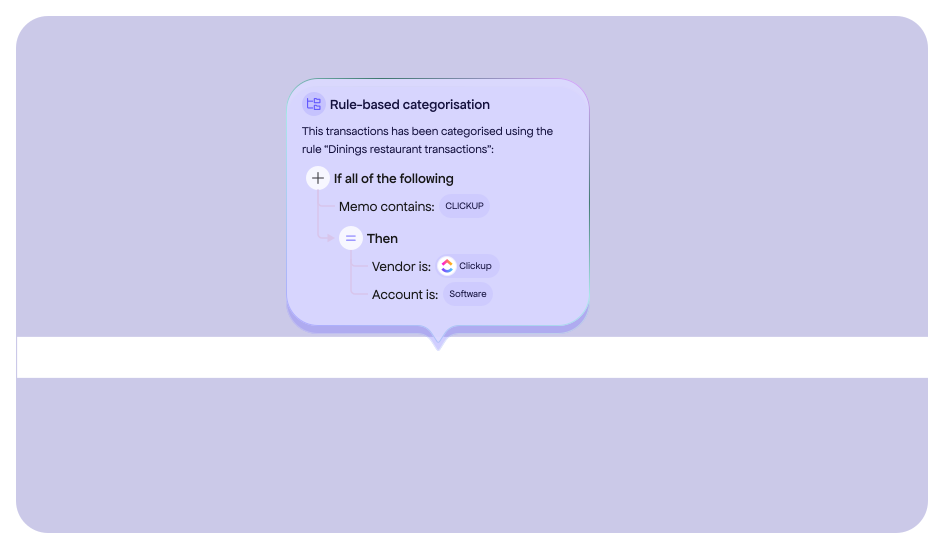
Quickly review why rules you are not familiar with have been applied to specific transactions.
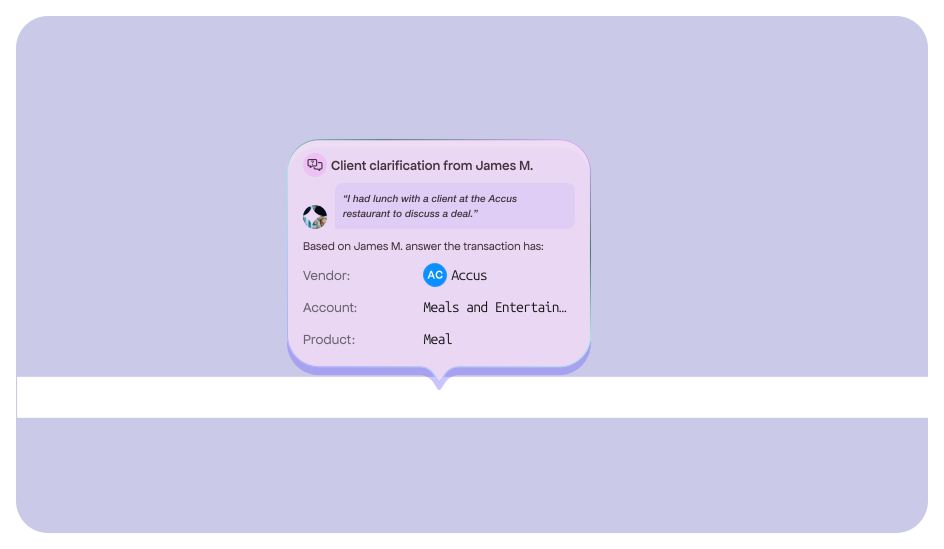
Don’t waste time chasing clients for clarifications. Set up rules auto-requesting clarifications immediately when the system can’t find any similar past transactions.
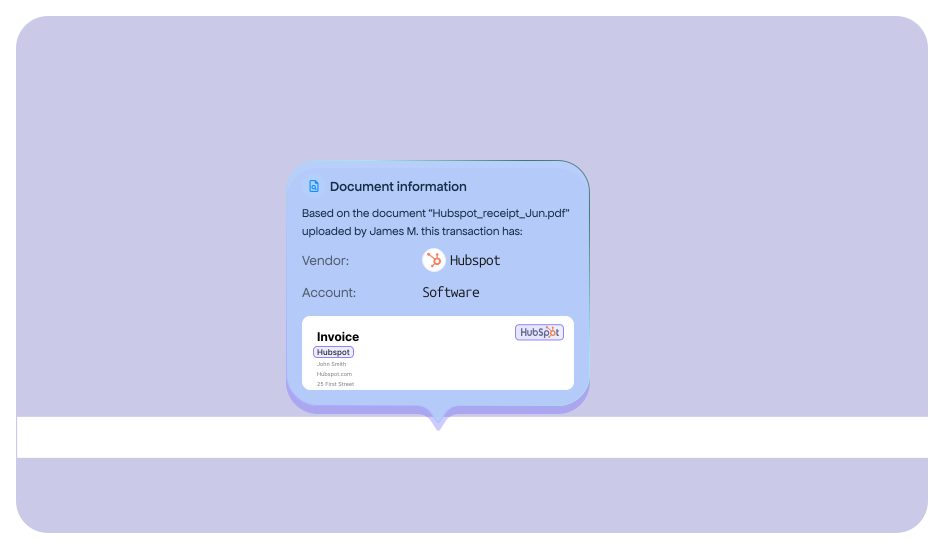
See how a transaction should be categorised based on matching documents that have been analysed by AI and/or your bookkeepers.
Built for collaboration
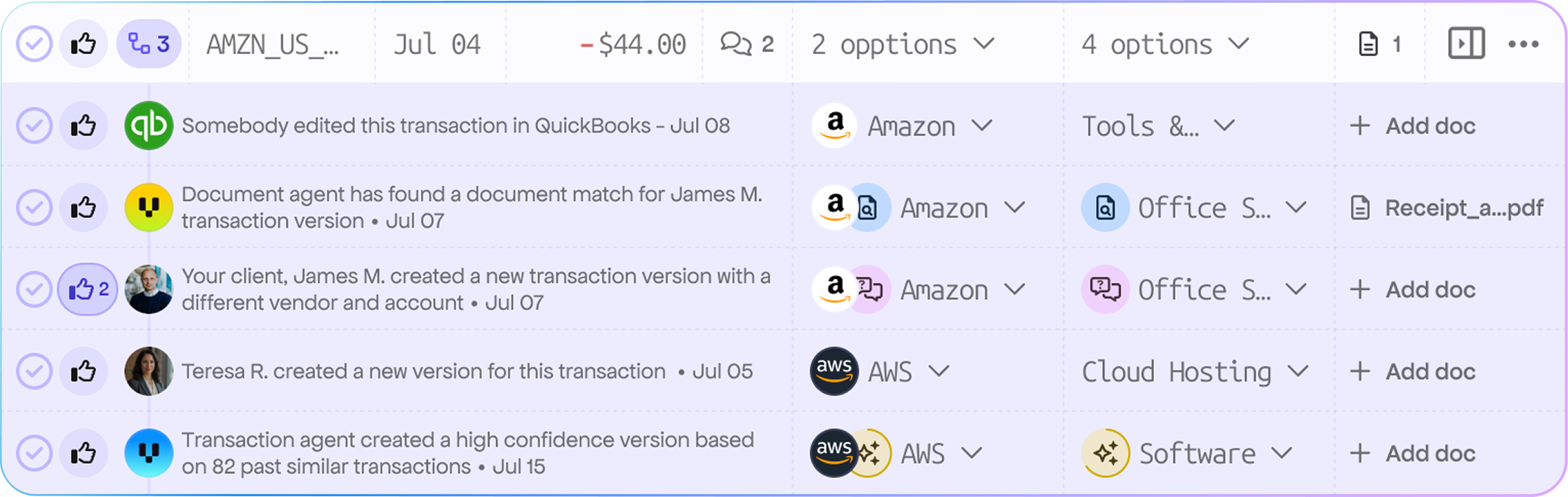
Stop overwriting data. Review every proposed classification from AI, junior staff, or the client in one view. Ensure 100% accuracy before a single cent hits your general ledger.

Version upvoting
Create or upvote the most accurate version of a transaction to build consensus without long Slack threads.

Clarifications requests
Ask client clarifications for the transactions you are not sure about and receive answers directly on the table ready to be confirmed.

Role-based confirmation
Empower seniors to review and lock versions, maintaining a pristine audit trail for QuickBooks and Xero.

Results you can expect
95%
Accuracy for the high confidence AI suggestions
90%
Fewer discrepancies
via GL integrity controls
70%
Reduce close cycle time
3x
Capacity per accountant
Understand how the transactions are categorised
Comments
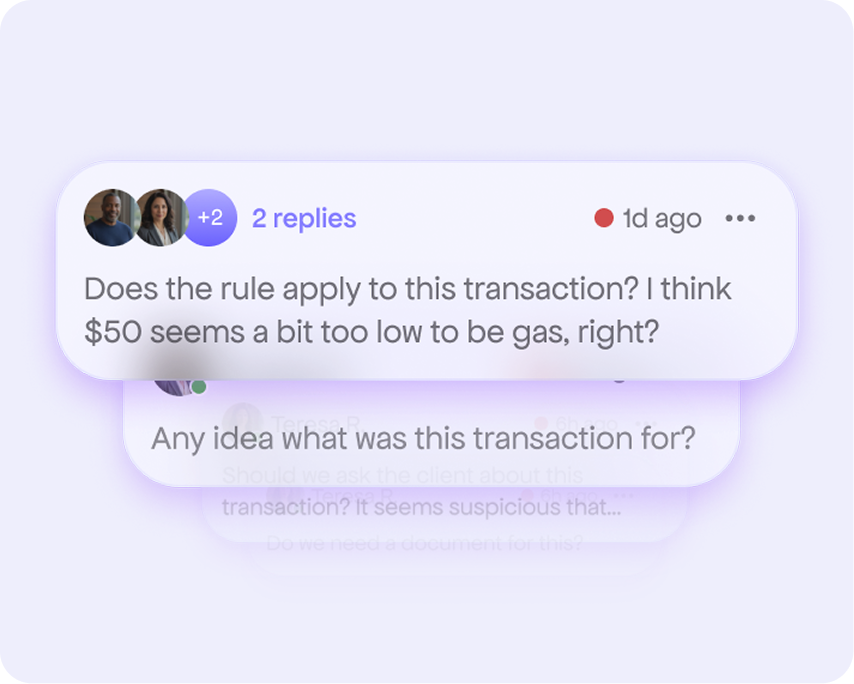
Communicate with your team on each transaction to ask questions and understand why they categorised something in a specific way.
Changelog
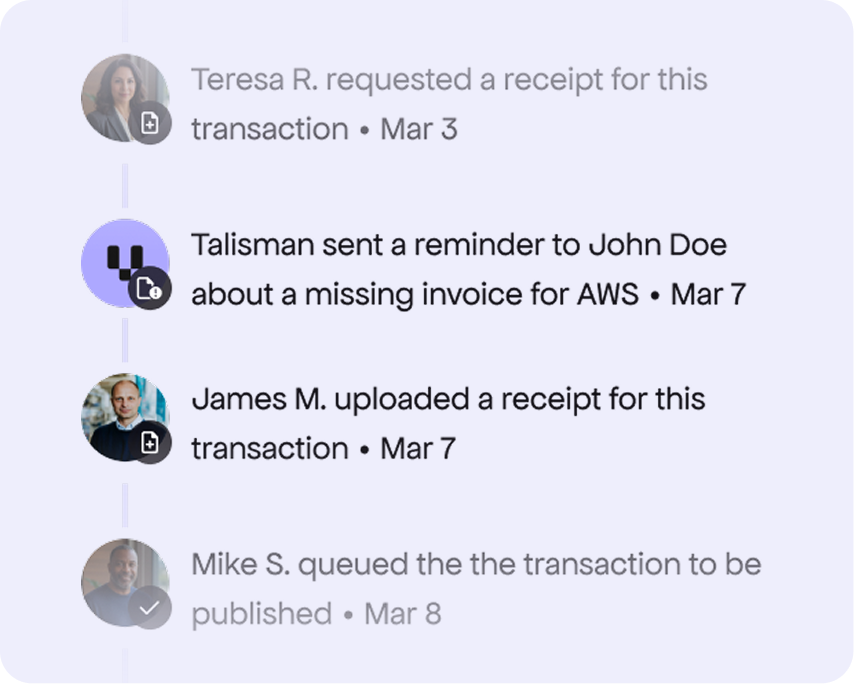
View all the actions related with a transactions to understand who worked on it and how it evolved to the current version.
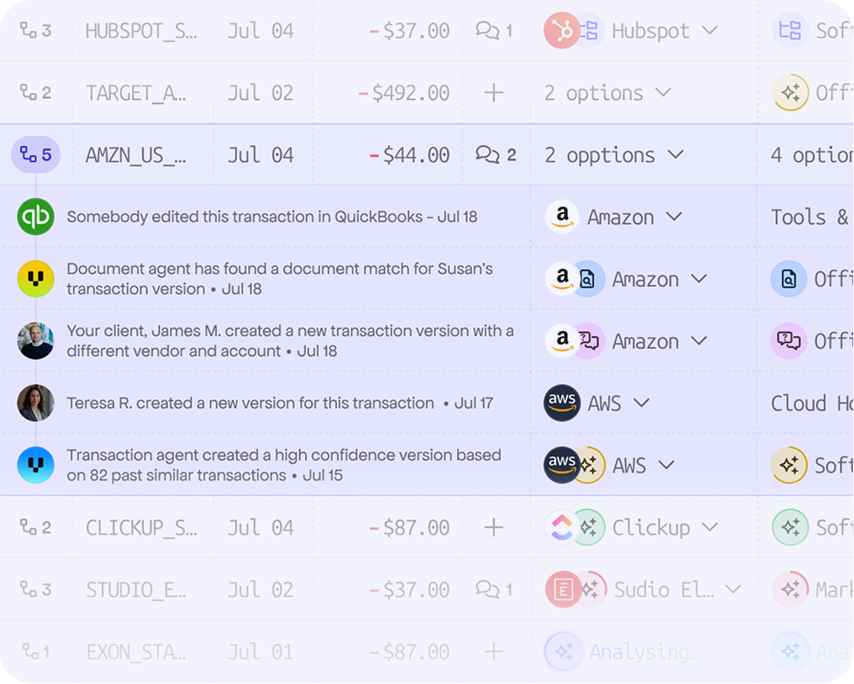
Synched version history
Keep track of how a transaction has been modified across it’s lifetime. Whether it happend in QBO, Xero or Talisman, you’ll always be able to see the version history in Talisman.
Frequently asked questions
Talisman utilizes a bi-directional, real-time sync. If something changes in your main ledger app, Talisman reflects that change within seconds. However, each action taken in Talisman needs to be approved and published to reflect into your main ledger.
In order for Talisman to offer AI suggestions, it learns from 4 different levels:
1. Based on your client's unique Chart of Accounts.
2. Your firm’s proprietary categorization logic.
3. Data available across all Talisman accounts.
4. Online data available on the internet.
No. Although they have a client portal where they can see all the requests. To maximize responsiveness, clients can answer questions directly via email or SMS. The AI will then create a new transaction version for the transaction based on their answer and highlight their response for you.
Yes. You can fully brand the client portal, ensuring your clients see Talisman as a proprietary extension of your firm’s premium service.
Ready for a 3x faster month-end?
Your time is valuable, so we don't do fluff. After a brief discovery call, you’ll get full access to Talisman using your own books. Experience the speed of collaborative reconciliation firsthand.